Showing posts with label vigica c70s cccam. Show all posts

Tuesday, April 28, 2015

Android with DVB-S2 Vigica C70S Combo TV Box Unboxing Review


Vigica C70S is not a simple Android Smart TV Box, it is a Combo device, it also has a built-in DVB-S2 tuner, a very useful feature for some people.


The TV box has a black shining plastic case, it has a quite nice design with stream-line shape. In the front side it has only the IR receiver. This is not a simple Android Smart TV Box, it is a Combo device, it also has a built-in DVB-S2 tuner, a very useful feature. The cardboard packaging looks like is made of recycled paper, which is a big plus for Vigica, showing the company’s care for the environment. Vigica Vigica C70SCombo TV Box is based on Amlogic AML8726-MX processor, it has 1GB of RAM and it runs Android Jelly Bean 4.2.2.


VIGICA C70S Highlights

OS: Android Jelly Bean 4.2.2

CPU: Amlogic AML8726-MX

GPU: Mali-400

RAM: 1GB DDR3

NAND FLASH: 4GB

WIFI: 802.11 b/g/n

DVB-S2 Tuner built-in

HDMI 1.4A

Infra Red Remote Control

Support XBMC, Miracast, DLNA, AirPlay, Newcamd & CCCam


Ports

2x USB 2.0

1x SPDIF Digital Audio Output

1x HDMI 1.4 output

1x A/V Out

1x RF In

1x RF Out

1x Coaxial

1x MicroSD Card Slot

1x Ethernet LAN RJ45


Package Content

1 x Vigica C70S Combo TV Box

1 x Power Adapter

1 x AV Cable

1 x IR remote

1 x English User Manual


This unboxing was possible thanks to Vigica company, who sent the sample.


Original News from

http://chinagadgetsreviews.com/vigica-c70s-combo-tv-box-unboxing.html

Sunday, April 12, 2015

How to run Arabic iptv program on Vigica tv box?

Recently, hot promotion arabic iptv chanels for vigica tv box. Vigica C60S, Vigica C60T, Vigica C70S, Vigica C70T, Vigica V5,Vigica V3 all models can run arabic iptv programs. 


Detail pictures for you

Application menu, choose IPTV


 three options----Live(about 112 chanels), Movie, Webtv


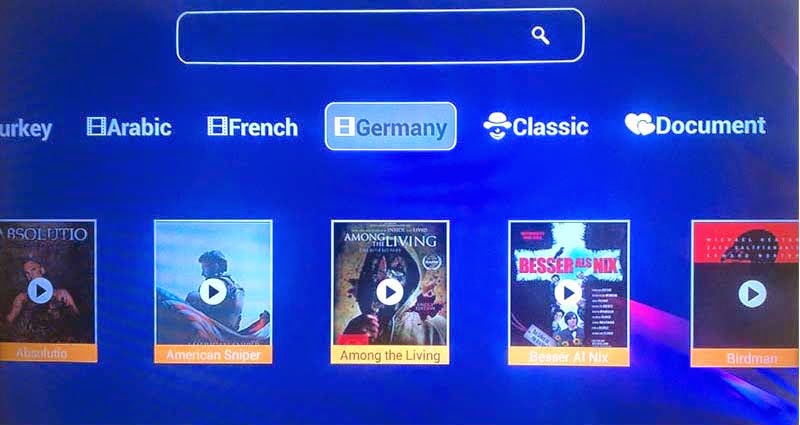
Movie(Turkey,Arabic,French, Germany, etc)


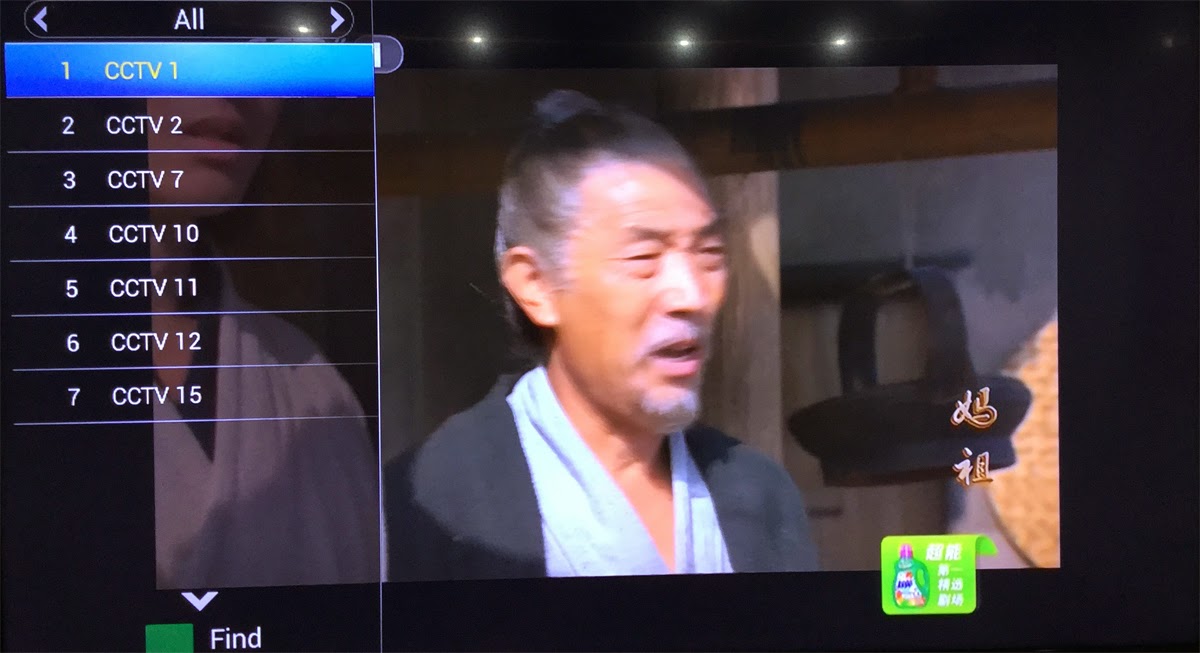
Live channels   Run more BeIn sports Channels


Full screen when watching TV channels


Thursday, April 9, 2015

CCcam format and copy account for Combox Vigica C60S and C70S

Until Now, Vigica Android & DVB-S2 tv box have been posted out for a long time, the box have get more customers chasing, but how to operate the cccam.cfg, some customer still have some doubt. 

C60S and C70S, please update the firmware to 20141205 version firstly. 
this version you can upload more account by USB, usually named CCam.cfg. 

the context list as following, please write like this (Please according your account, change the details, following just a example)
C: 11010.f3322.org 7650 50001023 27033 yes 
.... 

Then please copy the CCcam.cfg files to the USB,

Connect the box with TV and Antenna, power on the Vigica tv box, 
Go enter installation, then presss 111111, you can get the following menu.


Choose smart data


Please insert the USB to the box, press yellow buttom on remote control(Import), the account data will restore to the box.


If your box have already exited CCCam account, you also want this account in the box, please write this account to the files together, copy the files to the USB, then choose import. 

Connect with internet, the account will connect successful. 

Then you can open your scrambled channels


if you want to copy the CCcam account to other box, you can choose export, save CCcam account files to the USB. You can save the data to the PC. 

Friend, if you still have trouble for this, welcome to chat with us. 

Email: info@vigica.cc

Thanks for your times.

Friday, March 20, 2015

CCcam format for Combox Vigica C60S and C70S C90S


Until Now, Vigica Android & DVB-S2 tv box have been posted out for a long time, the box have get more customers chasing but how to operate the cccam.cfg, some customer still have some doubt.


C60S and C70S, please update the firmware to 20141205 version firstly.

this version you can upload more account by files, usually named CCam.cfg.


the context, please write like this (Please according your account, change the details, following just a example)

C: 11010.f3322.org 7650 50001023 27033 yes

C: 11010.f3322.org 7650 50001023 27033 yes

C: 11010.f3322.org 7650 50001023 27033 yes

C: 11010.f3322.org 7650 50001023 27033 yes

C: 11010.f3322.org 7650 50001023 27033 yes

....


if your box have already exited CCCam account, you also want this account in the box, please write this account to the files together, copy the files to the USB, then choose import.


Go enter installation, then press 111111, you can enter Smart Data, insert the USB to the Vigica box, then choose import. The list will come into the Vigica box.


if you want to export the CCcam account to USB, you can save the account in the PC.


friend, if you still have trouble for this, welcome to chat with us.


Email: info@vigica.cc


Thanks for your times.


Thursday, March 5, 2015

Fixed MAC address for Android TV Box with DVB-S2/T2 Vigica C60 and C70

Many customer confused why each time turn on the box (Vigica C60 and C70 Series), the MAC address is different.

Just now dont worried about that.

Firstly, please download the related firmware, then added a order in the "factory_update_param.aml " files--------- --set_flash_ethernet_mac. before the --update_package

Then you update by SD card, the message"erasing" appeared,removed the SD card, the screen will show you "please plug in scanning bar and scan", please connect your scanning or keyboard to write down the mac. then restart the box.

The box will have a fixed MAC address. 

how to update the Vigica C60, please according to the next news.

http://www.vigica.cc/news/update-firmware-for-vigica-smart-tv-box-c60s-dvb-s2.html


Thursday, February 5, 2015

How to backup and restore user data for android with dvb-s2 box vigica c60s and c70s?


In many customer mind, the DVB box should be much the same with traditional set top box, support the cccam, newcamd, OScamd etc. also should be easier to control for epg,channels.

Today , Vigica will give you a easy way to backup and restore data for Android with DVB-S2 Vigica C60S and C70S box.

Firstly, please update the firmware to 20141205 version. 


 Then please download the channels to the Vigica box.


Android with DVB-S2 Vigica C60S/C70S


 please go enter installation, you can get the following list

Backup user data for Vigica C60S and C70S

please insert your USB to the box. then choose bakcup user data.


Backup user data success for vigica c60s


 the screen will show you backup user data success.

Then you can open the second vigica box. you dont need to set anything, like the following box, the channel list dont have any channels.


Also enter installation, you can get a line  

Restore user data 

 insert the USB to the second box.


Choose Retore user data, the screen will show you restore user data success.


The Data will come into the second box success. just only connect with antenna, you can watch same channels like first box.


If you want more box with same channels with the first box, do the same operation. 

Android tv box can give you more entertaiment for live channels.

if you want to get this android with DVB-S2 box, please go enter Aliexpress, Ebay or Amazon store.or can contact with our sales. 

thanks for your support. 

Tuesday, February 3, 2015

VIGICA HD Android TV Box give you a special Chinese Spring Festival Day

Chinese New year is coming, whole country are in exciting. All people will have a long holiday. 

Watching Hotest and Newest show By VIGICA HD Android TV Box

Wu - the only female emperor in Chinese orthodox history

With the hit of Wu Mei Niang legend,more and more people get know this
Legendary Women.

She is the country's history as the first and only female emperor. Wu preliminary ruling, reuse Ruthless, crack down against his veteran minister, Hoon your old family, this break Han Control Council, senior officials of the monopoly situation. Nearly half a century before the ruling, deck, "Golden Years", the next start, "Kaiyuan Spirit", known as "Golden Years legacy" historical achievements, Visible world. The "feudal era outstanding female politicians."


Wu is is good at manage, attention to recruit talent, the first "successful candidates" imperial examination system, and Personnel, can reuse Di Renjie, Zhang Jianzhi, Huan Yan Fan, Jing Hui, Yao Chong Ming Chen, such as ZTE. During Wu ruled countries, policy reliable, Binglue properly, cultural revival, wealthy people, it is "Golden Years legacy" in the world, but also for the treatment of Kaiyuan Sun Emperor laid the foundation for long-term stability.

You can watch this program by VIGICA HD Android Smart TV Box.
More information,go and click www.vigica.cc

Wednesday, January 28, 2015

Vigica Exhibition in the CSTB 2015 Croscus Expo 2015

Vigica Exhibition in the CSTB 2015 Croscus Expo 2015

Glad to inform you that Vigica now is showing the Android TV Box &DVB in the CSTB 2015 Croscus Expo 2015. If you are interested, be sure to remember to visit our booth 4-900. We are honored to meet you then.


You can see some new models like

Android with DVB-S2 quad core Vigica C90S,

Android with DVB-T2 quad core Vigica C90T:


Vigica attend not only Expo in Russia, also in Hong Kong China Souring Far.

Every April and October of the year, Vigica attend Electronics Expo in Hong Kong, in Guangzhou, Dubai and Russia.


Exhibition always gives Vigica a good resources and the correct direction so that the Vigica Android TV BOX known by most of the world.


If you want know much more about Vigica, you can vigica www.vigica.cc

Tuesday, January 27, 2015

Description about 20141205 version firmware for Android TV Box with DVB-S2 Vigica C60S and C70S

20141205 version firmware have posted for a long times. but many customer still confused about this version. 
let me show more details for you!

1. how to update the firmware for the box.

please check the details of the following link.

http://vigicaiptvbox.blogspot.com/2014/12/about-newest-update-for-vigica-smart-tv.html

here will show you how to update by SD card.
usually the box cant power on, or you want to change the basic data, please insert the card firstly, then power on the box.

if you just want to update the vigica box, you can power on the box firstly, then choose the local upgrade.


2. after update the firmware. You can get more details about new version

it is included more satellite and TP list. usually about all Europe and American satellite data.
if these satellite still cant meet your inquiry, you also can add the satellite by remote control. press the corresponding icon.


3. & nbsp;. The channel edit new version have 10 groups you can sort more fav channel list in the box for example as culture, news, movie, games, etc..
4. many customer want to make easy for cccam account, this version add the import and export cccam account by USB you can edit the cccam account by PC then copy to the USB But please Noted, if your box have already exit & nbsp...; CCCam & nbsp; account, you also want to use with more account, at this time, please also write this account in your cccam.cfg files upload together..


about the firmware, please download from google drive link
https://drive.google.com/folderview?id=0B_AK94MdnE7wZFl3QTJGUUxJZmc&usp=sharing

Any questions, welcome here.

enjoy your life