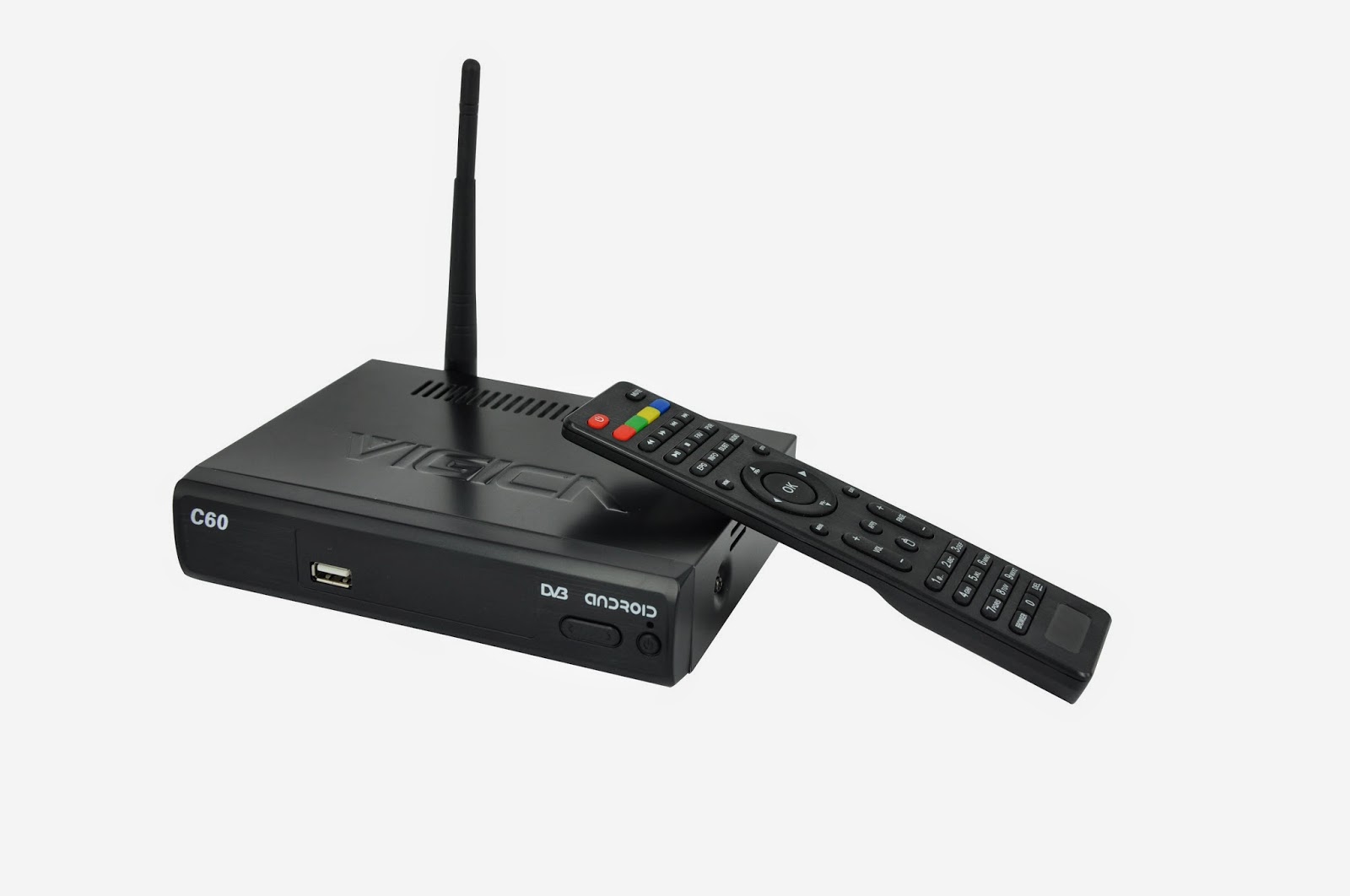
Showing posts with label russia dvb-t2 box. Show all posts

Tuesday, April 28, 2015

Android with DVB-S2 Vigica C70S Combo TV Box Unboxing Review


Vigica C70S is not a simple Android Smart TV Box, it is a Combo device, it also has a built-in DVB-S2 tuner, a very useful feature for some people.


The TV box has a black shining plastic case, it has a quite nice design with stream-line shape. In the front side it has only the IR receiver. This is not a simple Android Smart TV Box, it is a Combo device, it also has a built-in DVB-S2 tuner, a very useful feature. The cardboard packaging looks like is made of recycled paper, which is a big plus for Vigica, showing the company’s care for the environment. Vigica Vigica C70SCombo TV Box is based on Amlogic AML8726-MX processor, it has 1GB of RAM and it runs Android Jelly Bean 4.2.2.


VIGICA C70S Highlights

OS: Android Jelly Bean 4.2.2

CPU: Amlogic AML8726-MX

GPU: Mali-400

RAM: 1GB DDR3

NAND FLASH: 4GB

WIFI: 802.11 b/g/n

DVB-S2 Tuner built-in

HDMI 1.4A

Infra Red Remote Control

Support XBMC, Miracast, DLNA, AirPlay, Newcamd & CCCam


Ports

2x USB 2.0

1x SPDIF Digital Audio Output

1x HDMI 1.4 output

1x A/V Out

1x RF In

1x RF Out

1x Coaxial

1x MicroSD Card Slot

1x Ethernet LAN RJ45


Package Content

1 x Vigica C70S Combo TV Box

1 x Power Adapter

1 x AV Cable

1 x IR remote

1 x English User Manual


This unboxing was possible thanks to Vigica company, who sent the sample.


Original News from

http://chinagadgetsreviews.com/vigica-c70s-combo-tv-box-unboxing.html

Sunday, April 19, 2015

How to use miracast functions about the vigica c60s?

How to use miracast functions about the vigica c60s?
Firstly, please take one vigica c60s device and another device support miracast functions.
Now we use Galaxy S4, the OS is android 4.4.2


Please connected with wifi firstly about tv box and cell phone.


Second, enter the applicaion for your tv box. Choose Miracast apk


We can rename the device.


Finding peer, the device will scan the device.


Third. Enter the setting of the cell phone. The bottom will have a screen mirroring( share your device’s screen with another device.


The cell phone will scan the device.


The cell phone find the C60S, will send a invitation to the tv box. Accept the invitation. 


then the C60S and cell phone will connect


Now you can share anything with your tv box 


More details, please check www.vigica.cc

Friday, April 17, 2015

Mobile phone as remote control for android tv box vigica c60 and c70


Mobile phone as a remote control for android tv box vigica c60 and c70

Firslty, please download the applicaiton from the website,
https://drive.google.com/folderview?id=0B_AK94MdnE7wZFl3QTJGUUxJZmc&usp=sharing

Then install the application on your mobile.


Open the SettingMbox in your tv box, connect your wifi, and also make your mobile phone in the same wifi connecting.


Open the advanced icon on menu, then make the Remote control Icon ON. It will show a IP address. Like following 192.168.0.20


Open your mobile phone---choose the application, searching the server, can find the tv box address, connected,


The mobile will show a picture, like remote control, your mobile phone can be as a remote control to operate your tv box.


We can watch tv, video, surfing on line, also can modify the volume.


The mobile also can be as a mouse and keyboard, you can free switch by yourself.


It is very easy. Come on, take out your mobile phone and tv box.


More details, please visit 
www.vigica.cc

Wednesday, April 15, 2015

How to hide “home””back” bar on the bottom when you watching tv?


In this situation, the button on the bottom, It covers a part of the screen. It is very easy to make disappear for these button. 

Please go to application in the box 


Choose Settings Mbox, this status is off, you can see the bar on the bottom now.


Please make “Hide Status Bar” ON. The bar will disappear


Then you can back to check the status for the TV channel, like as following


Now the screen dont have that icon now, please try to do that now.
If you have the same questions for Vigica C60S, Vigica C60T, Vigica C70S, Vigica C70T, Vigica C70A,Vigica C90S and Vigica C90T, please try this method.

Tuesday, January 20, 2015

New firmware for Android TV Box with DVB-T2 Vigica C60T

New firmware for Android TV Box with DVB-T2 Vigica C60T


Android TV Box with DVB-T2 XBMC 13.0 Vigica C60T
Android TV Box with DVB-T2 XBMC 13.0 Vigica C60T TV Box


this version use the Newly UI, much the same with the DVB-S2 Android tv box Vigica C60S. 


Here have more choice for edit channels. 

how to update the Vigica C60T, please according to the Vigica C60S update steps. 

http://vigicaiptvbox.blogspot.com/2014/12/about-newest-update-for-vigica-smart-tv.html


About the firmware ,please download from the following link.

https://drive.google.com/folderview?id=0B_AK94MdnE7wZFl3QTJGUUxJZmc&usp=sharing


Sunday, December 28, 2014

Difference between Android TV Box and Traditional Set Top Box


The difference between Android TV Box and Digital Video Broadcast


What is Android TV Box ?


Android tv box is hot selling with a wide open platform, equipped with the Android operating system, can install and uninstall the software, games and other Apps provided by the users themselves, through such programs to continue the TV function be expanded, and through a network cable, wifi to achieve a new generation of set-top boxes to surf the Internet in general.

Traditional Set Top Box, is connected to a TV with an external signal source equipment,compresses the digital signal into TV content, and displayed on the TV. Signal can come from a wired cable, satellite antennas, broadband networks, and terrestrial broadcasting

The Difference

For example Traditional STB Cloud ibox(recently hot sell model for europe)


Android tv box


1.Different Main Function:

The traditional TV programs are fixed and can not access the Internet, consumers can not follow their own preferences dominate television program, does not have the content and applications can be loaded. Android TV box is connected via a network cable or wireless WIFI access to the Internet on the TV to achieve web browsing, video movie playback, online chat, games and entertainment, online movies and television can be based on their own preferences dominate television programs, also can install applications .

2.Different Program content

The general set-top box to receive the various TV channels, while Android set-top box is to achieve the same functionality of various computer via the Internet, such as: watch movies online television, video games, web browsing, Facebook, blog, send and receive e-mail, online chat, and other content.

3.Different Network access
Android TV Box can be viewed as a video program to get through the INTERNET set-top boxes,is connected to the coaxial cable, taking the cable network; and Android set-top box connected to the network cable, is taking the Internet


More details about Android tv box, please check www.vigica.cc


Thursday, December 25, 2014

О новых обновлений для Vigica Smart TV Box C60S DVB-S2

О новых обновлений для Vigica Smart TV Box C60S DVB-S2

На прошлой неделе мы уже размещен вне новая прошивка для Vigica C60S и C70S DVB-S2 CCCAM коробки.


Подробнее читайте здесь:

Обновление шаги:
Метод 1

(Обычно, коробка не могу открыть, как правило, не могу питание, и вы хотите, чтобы сделать фиксированную MAC к коробке, пожалуйста, используйте этот метод)

    Отформатируйте SD карту, затем поместить эти файлы и инструменты в SD-карты обновить непосредственно, а затем подключите кабель HDMI с Vigica смарт-поле и телевизором, Вставьте SD карту в окне vigica, мощность на коробке vigica, то окно будет вступать в обновления системы, пожалуйста, не выключайте питание системы, после диалоговое окно, отображающее стирания, пожалуйста, снять SD карту из vigica смарт-коробки. через несколько секунд, окно скажет Вам ввести адрес MAC по Scaaing или клавиатуры, после этого, пожалуйста, restard кассовые системы Vigica, окно автоматического перезапуска снова. завершения обновления.

Шаг 1: Запустить обновление

Шаг 2: Вставьте SD-карту и подключить кабель HDMI

www.vigica.cc/products/hd-android-smart-tv-box-dvb-s2-android-vigica-c60s.html

Шаг 3: Мощность на коробке

www.vigica.cc/products/hd-android-smart-tv-box-dvb-s2-android-vigica-c60s.html

Шаг 4: окно будет идти введите автоматического обновления сама по себе

www.vigica.cc/products/hd-android-smart-tv-box-dvb-s2-android-vigica-c60s.html

Шаг 5: передняя панель, показывающая

www.vigica.cc/products/hd-android-smart-tv-box-dvb-s2-android-vigica-c60s.html


Шаг 6: После окно показывает стирания
www.vigica.cc/products/hd-android-smart-tv-box-dvb-s2-android-vigica-c60s.html


Шаг 7: снять SD карту

www.vigica.cc/products/hd-android-smart-tv-box-dvb-s2-android-vigica-c60s.html


Шаг 8: около 30 секунд, окно перезагрузки


www.vigica.cc/products/hd-android-smart-tv-box-dvb-s2-android-vigica-c60s.html


Шаг 9: первом входе системы после обновления
www.vigica.cc/products/hd-android-smart-tv-box-dvb-s2-android-vigica-c60s.html


Шаг 10: обновление успех
www.vigica.cc/products/hd-android-smart-tv-box-dvb-s2-android-vigica-c60s.html


Методы 2

(Если вы просто хотите, чтобы обновить ошибок, коробка может хорошо работать, пожалуйста, используйте это одно, это методы не скажу вам записать MAC-адрес)

Поместите файлы в USB или SD карты (Пожалуйста, обратите внимание: только те файлы, Vigica в USBor SD карты напрямую)

Мощность на смарт-поле Vigica во-первых, после входа в главный интерфейс, вставьте USB или SD карту в окне vigica, а затем перейти в всех приложениях ----- локального обновления, окно будет читать данные из USB или SD-карты, выбрать то, что файлы, vigica Box пойдет на обновление само по себе, а затем перезапустить.

Шаг 1: на коробке, войти в приложение


Шаг 2: Вставьте SD-карту или USB к коробке


Шаг 3: выберите локального обновления


Шаг 4: выберите прошивку, нажмите кнопку ОК.


Шаг 5: окно будет идти ввода обновления, а затем перезапустить снова.

обновление будет завершено. более подробную информацию можно проверить ww.vigica.cc

http://www.vigica.cc/products/hd-android-smart-tv-box-dvb-s2-android-vigica-c60s.html

http://www.vigica.cc/products/hd-android-smart-tv-box-dvb-s2-android-vigica-c60s.html

Vigica C60S / Vigica C70S Android с DVB-S2 поддержки CCCAM, Newcamd

Vigica C60T / Vigica C70T Android с DVB-T2, России, Таиланда поддержки

Vigica C70A Android с ATSC тюнер для Северной Америки (Канада, США, Мексика, Корея)

Vigica V3, RK3288 4K видео Quad Core TV Box

Vigica V5, S805 Quad Core TV Box

Vigica VG328, RK3288 Mini PC. Fly Mouse Ipush Dongle

http://vigicaiptvbox.blogspot.com/ 

http://www.facebook.com/vigicaiptvbox

More details please check www.vigica.cc