Showing posts with label quad core. Show all posts

Wednesday, November 23, 2016

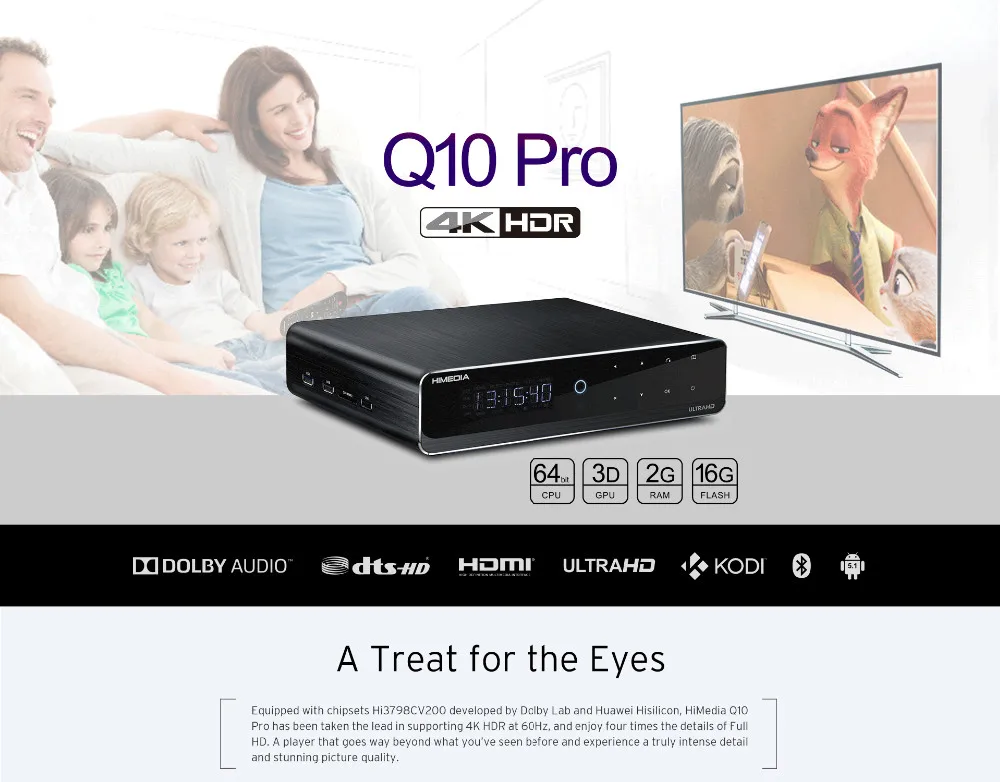
Huawei Hisilicon CV200 Android N Change Log in Himedia Q10 pro and Q5 pro

Huawei Hisilicon CV200 Android N Change Log in Himedia Q10 pro and Q5 pro 

Q10 pro order link
http://himedia.en.alibaba.com/product/60573774577-802940993/Hi3798CV200_Quad_core_Android_N_Android_7_0_Dual_Band_WiFi_BT_2GB_16GB_Internet_TV_Box.html

Android N/Android 7.0/Android 7.X Change Log:

1. System UI Optimized
2. Video Playback Optimized
3. Online Upgrade Optimized
4. Media Center Upgraded
5. Launcher Performance Optimized
6. Samba Unable to copy when space still available issue fixed
7. Settings Improved
8. App installer upgraded
9. 3Djar upgraded and optimized

 Pls kindly noted

update_ALL_AndroidL-AndroidN----this file is for you update from android 5.1 to 7 if the box is still android 5.1, but as you already update to android 7. so you can ignore this file.


update(7).zip--- this file is for you to update android 7 to 7( official one), As now you already are android 7, so you can update this firmware directly, 

Pls kindly revise the zip name to update.zip when you start to update.

Model Number :Q5 Pro  
Link:
    http://www.mediafire.com/file/zavndpmc75zqpkb/update.zip 

  (AndroidN->AndroidN)
    http://www.mediafire.com/file/171nua8klbb4mvf/update.zip 

  (AndroidL->AndroidN)
Version Number:
    HMD-2.0.0 2016-11-18.175905 (AndroidN->AndroidN)
    HMD-2.0.0 2016-11-18.194552 (AndroidL->AndroidN)
 
Model Number:Q10 Pro  
Link:
    https://www.mediafire.com/folder/kkj50dmdre3jj/Android_7.0  (AndroidN->AndroidN)
    http://www.mediafire.com/file/y52a73eu5o5l9pz/update.zip 

  (AndroidL->AndroidN)
Version Number:
    HMD-2.0.0 2016-11-17.181855 (AndroidN->AndroidN)
    HMD-2.0.0 2016-11-17.184554 (AndroidL->AndroidN)

Orde link :
https://www.alibaba.com/product-detail/Himedia-Q10-Pro-Hi3798CV200-Quad-Core_60383332872.html?spm=a271v.8028081.0.0.y012u3


Thursday, July 28, 2016

New Products 2016 2Gb+16GB Android 6.0 marshmallow tv box Free to Air Set Top Box

New Products 2016 2Gb+16GB Android 6.0 marshmallow tv box Free to Air Set Top Box

ANDROID 5.1 WITH FULL PLAY STORE

Android is version 5.1 'Lollipop'. Q10 Pro has full Play Store pre-installed with access to all apps, allowing easy app installation. Pre-installed Chrome browser with Flash 11 and HTML5. Key Android apps like BBC iPlayer, Youtube, Skype, Netflix are compatible.

7.1 CHANNEL HD-AUDIO

HiMedia Q10 Pro supports all HD-Audio formats. Dolby True-HD, Dolby True-HD ATMOS, DTS:X, DTS-HD MA, 5.1/7.1 LPCM, DTS, and Dolby Digital AC3 can all be downmixed and bitstreamed (passthrough) using either the built in HiMedia video player app or any version of Kodi with HiMedia wrapper.

DUAL-BAND WI-FI + GIGABIT LAN

The ultimate in streaming performance. Dual-band Wi-fi (2.4Ghz/5Ghz 802.11AC) with large high-gain antenna gives the best possible reception and transfer rates. Gigabit LAN delivers ultra fast wired networking. Supports remote wakeup and standby via ethernet.

INTERNAL 3.5" HDD BAY

HiMedia Q10 Pro supports an internal 3.5" hard drive up to 8TB. Perfect if you have a large collection of video that you'd prefer to access locally.

23.976 / 29.976 AUTO FRAME RATE SWITCHING

Smooth playback of all video formats. This is an area where HiMedia / HiSilicon have listened to feedback from users and have worked to provide comprehensive support from launch.

2GB RAM + 16GB STORAGE

2GB fast DDR3 RAM allows unhindered performance and 8GB eMMC 5.0 internal eMMC internal storage.

Product Description
New Products 2016 2GB+16GB Android 6.0 marshmallow tv box Free to Air Set Top Box

Basic Features
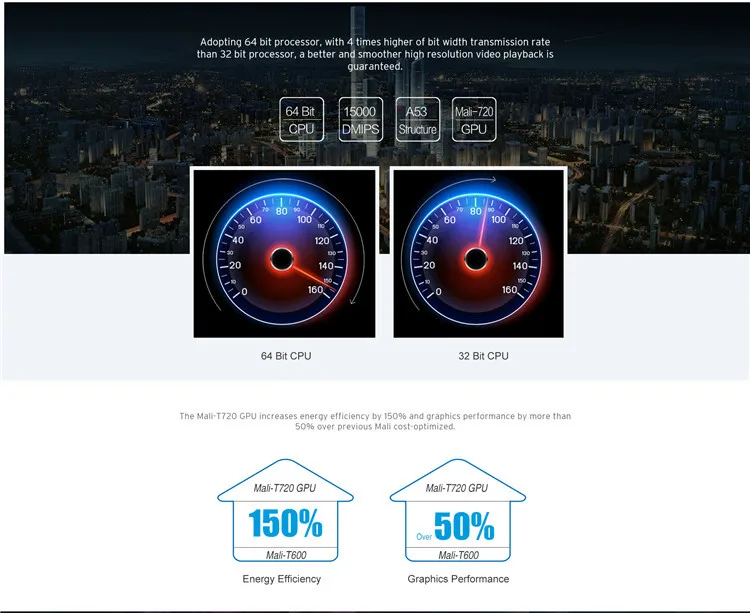
ChipsetHuawei HiSilicon HI3798CV200 Quad-core 64-bit high-performance ARM Cortex A53 with NEON
GPUMali-T720
RAM2GB DDR3
Flash16GB eMMC
OSAndroid 5.1
Performance
VideoVideo Decoding Standard: H.265/HEVC 4Kx2K@60fps, MVC, MPEG1/2/4, VC-1, WMV
Video File Format:TS, MKV, FLV, MOV, AVI, RM, MP4, ISO Blue-ray navigation 3.0
AudioAudio Decoding Standard: Dolby Digital Plus, DTS-HD, MP3, WMA, AAC, PCM
Audio Format Format:MP3, WMA, APE, Flac, AAC, Ogg, WAV
PicturesSupport JPG,BMP,GIF,PNG and etc.
SubtitleSSA ASS,SMI,SRT,SUB ,LRC,SST ,TXT,XSS,PSB ,SSB
LanguageSimple Chinese, Chinese Traditional, English and more languages
Wireless LAN2.4GHz/5GHz 802.11a/b/g/n/ac with external antenna for stable internet receiving
BluetoothBluetooth 4.0
HDMIHDMI 2.0
Support4K2K, H.265 hard decoding, Gigabit ehternet
Dolby Digital Plus and DTS-HD Audio
3D Bluray subtitles
BD-ISO and 3D BD-ISO
BD rips in BDMV format and ISO for playback
D/3D Games,USB Web Cam
USB mouse and keyboard operation and 2.4G QWERT Remote
Remote wakeup and standby via ethernet).
Firmware local update and OTA online update.
SAMBA, NFS network playback.
Multilingual GUI
mouseRemote control with mouse function for use by all Andorid apps.
Input/Output
Video1x HDMI2.0, 1x CVBS
AudioR/L stereo,SPDIF optical,SPDIF coxial
NetworkWired LAN: 10/100/1000M adaptive network interface
Wireless LAN:802.11a/b/g/n/ac HG anti-interference single antenna
Others2x USB 2.0
1x USB 3.0
1x USB3.0 device
1x Built-in SATA interface
1x SDCARD three-in-one card slot
Software Specifications
Network FunctionKODI 16,Youtube, Netflix, Google Play, SKYPE, Google browser, Flash11 and HTML5, AirPlay and DLNA, Internet TV, IPTV and Internet Radio.
Others
Remote33-key infrared remote control
Power SupplyInput:AC100-240V,50/60Hz
Output:DC12V-2A
AccessoriesPower adapter, infrared remote control, HDMI cable, user manual
DesignBlack metal case,LED screen,Touch switch
Dimensions226*180*50MM

 New Products 2016 2Gb+16GB Android 6.0 marshmallow tv box Free to Air Set Top Box
New Products 2016 2Gb+16GB Android 6.0 marshmallow tv box Free to Air Set Top BoxNew Products 2016 2Gb+16GB Android 6.0 marshmallow tv box Free to Air Set Top Box


Company Information
About US
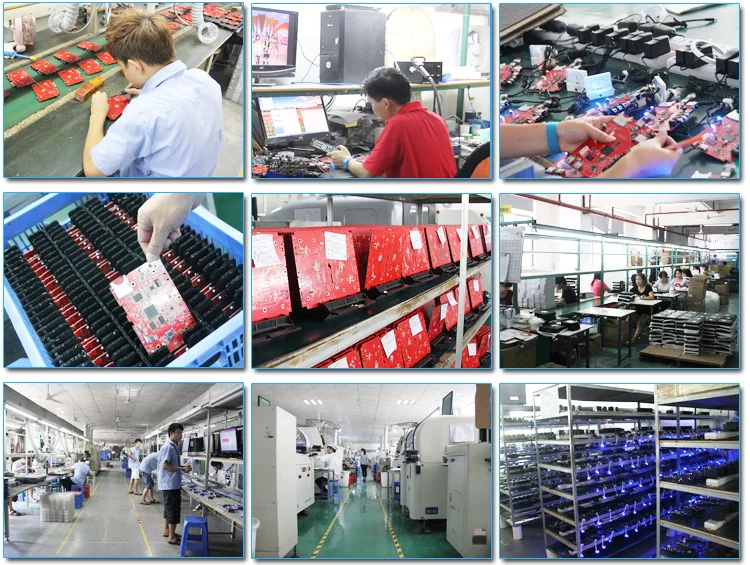
Established in 2005, HiMedia is a high-tech engineering company specialized in designing and manufacturing HD media players, Android TV boxes, smart TV boxes, Android-based set-top boxes, IPTV boxes, and OTT boxes. These products are compliant with CE, FCC and RoHS standards. And we have got the Dolby, DTS and HDMI certificates.

Our company has a long history of successfully providing OEM and ODM services to many premium brand customers abroad. Our 50 English-speaking R&D engineers are ready to put their nine years of experience to use on your next OEM/ODM project.

We are the strategic partner of Realtek, Hisilicon, and Allwinner. Accordingly, we always have a steady supply of reliable chipsets and unlimited technical support from these partners.


https://www.alibaba.com/product-detail/New-Products-2016-2Gb-16GB-Android_60496570707.html?spm=a2700.7724838.0.0.yUXR2R


Our Certifications for New Products 2016 2Gb+16GB Android 6.0 marshmallow tv box Free to Air Set Top Box


Why choose US?
1. Rapid response:
Any of your questions will be answered within 24 hours.
2. Quality Control:
All products must through double checks during every manufacturing process.
Test reports are available for each delivery.
3. Guarantee:
Requirement of customers & quality of products will be full guaranteed.
Every defective product during the transportation can be compensated in the next order.
4. Samples:
Samples are available. The samples shipment charge will be paid by your side,
but the fee will be refunded to you when we have formal order.

Contact US
HiMedia Technology Limited
One-stop Supplier for Octa Core &Quad Core Android TV box
Mobile/Whats app/Wechat: (86)-15920082754
Phone:(86)-755-2665 6919 ext 8001
Fax: (86)-755-2606 2646
Skype: chinaiptvbox

Email: tina.hu#himedia.cn
FAQ

1. We are specilized in Hisilicon and Rockchip solution Android TV box / Smart TV box. We have the newest technical support from hisilicon and Rockchip team directly.
2, Based on our powerful hardware and software support, we can meet customer requirement for OEM & ODM service independently.
3. Our box are new private Aluminum housing, have full solid aluminum body that is sleek and durable.
4. All of boxes pre-installed the latest XBMC / Kodi 15.2 full loaded,support XBMC customization
5. Real power off by remote for increase of service life of device.NO electrostatic damaged.
6. Pre-install multilingual keyboard input.any keyboard input you want is ok with customization.
7.If you can not solve it by yourself, please contact us. We will do our best to support you. Note: We are not responsible for man-made damage problems, and upgrade failure problems if not according to the official upgrade methods.
8.We can not be sure our price is the lowest, we do not do price comparison with cloning device, but we can be sure our price is the reasonable. We reject the price war with other suppliers.


Wednesday, July 13, 2016

Wrapper Manual for Quad Core Android IPTV Set Top Box Q10 pro &Q5 pro


Wrapper Manual for Quad Core Android IPTV Set Top Box Q10 pro &Q5 pro
1.         For KODI,system has defaulted call HiMedia Media Center player(Wrapper app pre-installed).

http://himedia.en.alibaba.com/product/60438839541-802940993/New_Products_2016_Download_Android_Apps_Free_Smart_TV_Box.html


    Log in Wrapper, “Set to Wrapper player” option selected means default call HiMedia Media Center player.
a.         If password is required when log in NAS, or SMB server, please enter your account and password and click OK to save. Otherwise, it is unable to playback and directly black screen. If the setting of limits of authority incorrect, it is recommended to turn off password protection.
b.         If password is not required when log in NAS, or SMB server, then no need to enter account and password.
c.         Click Reset to clear password if necessary.
     
http://himedia.en.alibaba.com/product/60438839541-802940993/New_Products_2016_Download_Android_Apps_Free_Smart_TV_Box.html

2.         If you would like KODI to playback, select “Set to KODI player” option.

http://himedia.en.alibaba.com/product/60438839541-802940993/New_Products_2016_Download_Android_Apps_Free_Smart_TV_Box.html

3.         When KODI successfully call HiMedia local Media Center player, it is shown as below. And there is prompt “External player active”.
http://himedia.en.alibaba.com/product/60438839541-802940993/New_Products_2016_Download_Android_Apps_Free_Smart_TV_Box.html

http://himedia.en.alibaba.com/product/60438839541-802940993/New_Products_2016_Download_Android_Apps_Free_Smart_TV_Box.html


Wednesday, May 13, 2015

install and run iptv program on android tv box

500+ IPTV programs hot selling, today let we learn how to install and activate the account

Firstly, please download the apk from the website


Copy the files to the USB.


Prepared one vigica tv box. Power on, please make sure the network is WIFI connection(Note: please make sure just only WIFI connection, the account will fix with WIFI address)


Insert the USB to the box, then enter my apps


Appinstaller, you will get a list for your USB files


Choose the IPTV_release_a4.24.apk, install


Sometimes, the android box will note intall blocked, please choose trust.then install the apps


After installed the apps, you will get the following menu


Choose the upper right corner logo


Here we can input the keys. Maybe about 10 digit keys combo(number and letters together, for example: 7a5555ba0d),then choose √


The right corner will show the license date, about 365 days

Then you can enter live to watching live tv


In this menu you can have three choose, 500K, 1M HD pack, choose the related one you can get the details channels list.


BeIN sports


Tuesday, January 6, 2015

Android tv box partner XBMC media Center Adds to watching live TV for Vigica TV Box


The application of XBMC __android TV Box Vigica


The application of XBMC Kodi (formally known as XBMC) is an award-winning free and open source (GPL) software media player and entertainment hub that can be installed on Linux, OSX, Windows, iOS, and Android, featuring a 10-foot user interface for use with televisions and remote controls. 1. function . XBMC allows users to play and view most videos, music, podcasts, and other digital media files from local and network storage media and the internet.(Kodi does not provide any media itself. Users must provide their own content or manually point Kodi to third party online services. The Kodi project does not provide any support for bootleg video content)


2.supported format Video format :

◆MPEG-1◆MPEG-2◆MPEG-4

◆ wmv◆ VC-1◆ RealVideo

◆ QuickTime◆ SMC◆ VP3

◆ Intel Indeo◆ NUV◆ VIVO

◆ ITU◆ CYUV◆ CVID◆ ASUS

◆ FLI,FLC


music format:

◆ CDDA ◆ WAV/WAVE◆ PCM

◆ AIFF ◆ MPEG I, II, , III◆ OGG

◆ WMA◆ rm,rmvb◆ AC3 ◆ DTS

◆ AAC◆ M4A , MP4◆ FLAC

◆ WavPack◆ MPC◆ APE◆ SHN

◆ ALAC◆ MIDI Image Format :

◆ BMP◆ JPG/JPEG◆ GIF◆ PNG

◆ TIF/TIFF◆ TGA◆ PCX◆ ICO◆

CBR/CBZs programming language : Assembly, C, C++, Python

3.hardware Requirements XBMC require graphics processor supports 3D. Right now Most modern computer with 3D graphics processor, there are some Android TV boxes, It can run on weaker (see Intel Atom) the OpenGL 1.3 (support for GLSL), OpenGL ES 2.0 or Direct3D (DirectX) 9.0 platform, you can also ability of IA-32 / x86, x86-64, ARM running, or PowerPC G4 platforms. Full HD 1080p video playback if needed 2GHz or faster CPU multi-core processors through the system software decoding, otherwise there will be dropped frames or other anomalies 4.Language Support XBMC currently supports more than 60 languages, the full realization of internationalization and localization.