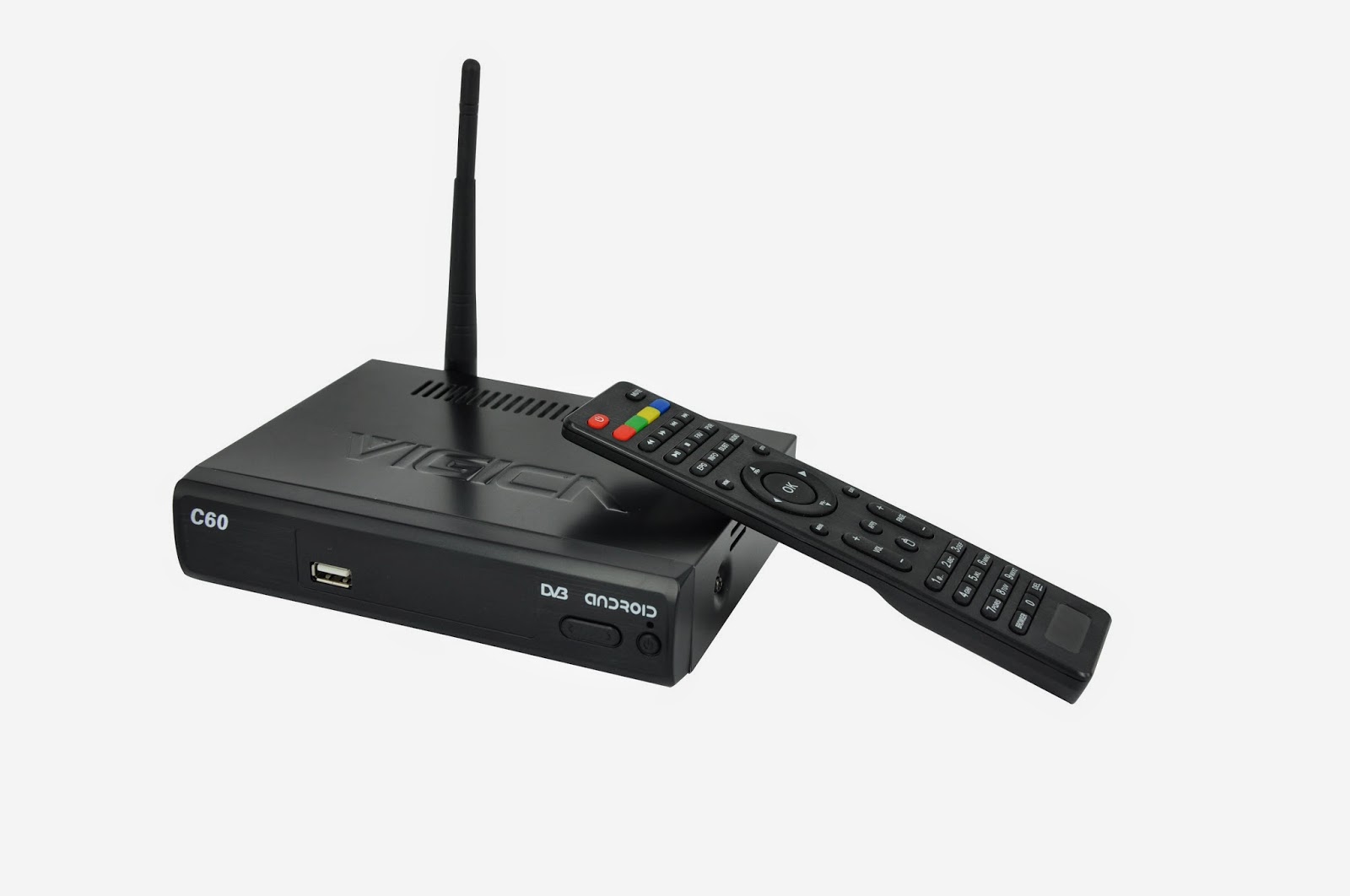
Showing posts with label vigica combox. Show all posts

Monday, June 22, 2015

Remote Controle Bluetooth Gamepad Cntroller Joystick Android Wireless Control

Remote Controle Bluetooth Gamepad Cntroller Joystick Android Wireless Control Selfie Remote For Android/IOS System


Order link

http://www.ebay.com/itm/111701467939?ssPageName=STRK:MESELX:IT&_trksid=p3984.m1558.l2649

BLC00001 Bluetooth Mini Gamepad Remote Controller Selfie Camera Shutter Compatible with Virtual Reality Glasses Google Cardboard-8
BLC00001 Bluetooth Mini Gamepad Remote Controller Selfie Camera Shutter Compatible with Virtual Reality Glasses Google Cardboard
Details:
It's very small and light, portable to use.
Selfie remote + gamepad 2 in 1
Support Android & IOS & PC
Used for mobile phone,ipad, MID, TV box, PC, gamepad, wireless mouse,etc
Protable bluetooth selfie remote for mobile & computer
TV box remote function
Wireless bluetooth gamepad:
Supported Emulator ROMs:Nintendo/Sega/Sony
Supported Arcade Games:GBA/N64/MAME/NES
Support VS mode/Android games/Apple jallBreak games
Wireless mouse function
Controller for playe
Controller for take a picture

Specification
Wireless:bluetooth 3.0 compliant
Wireless distance:2-10
OS:Android/IOS/PC
CPU:ARM968E-S Core
Battery:Li-battery 3.7V 180mAh
Continuous time:about 40 hours
Working current:0.5-4mA
tandby current:0.5-1m
Size:73*31*13mm

Package list:
1* bluetooth gamepad & selfie shutter remote


1
2
3
4
5
6
7

Tuesday, March 24, 2015

China to lead world GDP growth for next two years


China is set to post GDP growth of 7.2 percent this year and 7 percent next, the Asian Development Bank said in its annual economic report on Tuesday.

Asia's largest economy is likely to retain its position as the biggest contributor to world GDP growth over the next two years.

"China's economy can continue to deliver solid growth as long as the government makes steady progress on its reform agenda which can elevate productivity" said ADB chief economist Shang-Jin Wei.

"Deepening financial sector reform, such as reducing the dominance of State-owned banks and liberalizing interest rates while preserving financial stability, is a key element of the needed reform package" he said.

China's economy will contribute 32 percent of world growth this year, compared with 16 percent from India, the report said.

The strengthening of the RMB against the currencies of most the country's partners that began in 2014 may continue in 2015, in line with a strongly appreciating US dollar and the still close connection between the two currencies, according to the ADB report.

"The monetary policy in China will continue to strike a balance between limiting credit expansion in the financial and property sectors, while accommodating the need for credit support to small and medium-sized businesses" it said.

Vigica will face more challenge, will burden more responsiblity for everyone.


The News from chinadaily.com.cn

Friday, March 20, 2015

CCcam format for Combox Vigica C60S and C70S C90S


Until Now, Vigica Android & DVB-S2 tv box have been posted out for a long time, the box have get more customers chasing but how to operate the cccam.cfg, some customer still have some doubt.


C60S and C70S, please update the firmware to 20141205 version firstly.

this version you can upload more account by files, usually named CCam.cfg.


the context, please write like this (Please according your account, change the details, following just a example)

C: 11010.f3322.org 7650 50001023 27033 yes

C: 11010.f3322.org 7650 50001023 27033 yes

C: 11010.f3322.org 7650 50001023 27033 yes

C: 11010.f3322.org 7650 50001023 27033 yes

C: 11010.f3322.org 7650 50001023 27033 yes

....


if your box have already exited CCCam account, you also want this account in the box, please write this account to the files together, copy the files to the USB, then choose import.


Go enter installation, then press 111111, you can enter Smart Data, insert the USB to the Vigica box, then choose import. The list will come into the Vigica box.


if you want to export the CCcam account to USB, you can save the account in the PC.


friend, if you still have trouble for this, welcome to chat with us.


Email: info@vigica.cc


Thanks for your times.


Thursday, March 5, 2015

Fixed MAC address for Android TV Box with DVB-S2/T2 Vigica C60 and C70

Many customer confused why each time turn on the box (Vigica C60 and C70 Series), the MAC address is different.

Just now dont worried about that.

Firstly, please download the related firmware, then added a order in the "factory_update_param.aml " files--------- --set_flash_ethernet_mac. before the --update_package

Then you update by SD card, the message"erasing" appeared,removed the SD card, the screen will show you "please plug in scanning bar and scan", please connect your scanning or keyboard to write down the mac. then restart the box.

The box will have a fixed MAC address. 

how to update the Vigica C60, please according to the next news.

http://www.vigica.cc/news/update-firmware-for-vigica-smart-tv-box-c60s-dvb-s2.html


Thursday, February 5, 2015

How to backup and restore user data for android with dvb-s2 box vigica c60s and c70s?


In many customer mind, the DVB box should be much the same with traditional set top box, support the cccam, newcamd, OScamd etc. also should be easier to control for epg,channels.

Today , Vigica will give you a easy way to backup and restore data for Android with DVB-S2 Vigica C60S and C70S box.

Firstly, please update the firmware to 20141205 version. 


 Then please download the channels to the Vigica box.


Android with DVB-S2 Vigica C60S/C70S


 please go enter installation, you can get the following list

Backup user data for Vigica C60S and C70S

please insert your USB to the box. then choose bakcup user data.


Backup user data success for vigica c60s


 the screen will show you backup user data success.

Then you can open the second vigica box. you dont need to set anything, like the following box, the channel list dont have any channels.


Also enter installation, you can get a line  

Restore user data 

 insert the USB to the second box.


Choose Retore user data, the screen will show you restore user data success.


The Data will come into the second box success. just only connect with antenna, you can watch same channels like first box.


If you want more box with same channels with the first box, do the same operation. 

Android tv box can give you more entertaiment for live channels.

if you want to get this android with DVB-S2 box, please go enter Aliexpress, Ebay or Amazon store.or can contact with our sales. 

thanks for your support. 

Tuesday, February 3, 2015

VIGICA HD Android TV Box give you a special Chinese Spring Festival Day

Chinese New year is coming, whole country are in exciting. All people will have a long holiday. 

Watching Hotest and Newest show By VIGICA HD Android TV Box

Wu - the only female emperor in Chinese orthodox history

With the hit of Wu Mei Niang legend,more and more people get know this
Legendary Women.

She is the country's history as the first and only female emperor. Wu preliminary ruling, reuse Ruthless, crack down against his veteran minister, Hoon your old family, this break Han Control Council, senior officials of the monopoly situation. Nearly half a century before the ruling, deck, "Golden Years", the next start, "Kaiyuan Spirit", known as "Golden Years legacy" historical achievements, Visible world. The "feudal era outstanding female politicians."


Wu is is good at manage, attention to recruit talent, the first "successful candidates" imperial examination system, and Personnel, can reuse Di Renjie, Zhang Jianzhi, Huan Yan Fan, Jing Hui, Yao Chong Ming Chen, such as ZTE. During Wu ruled countries, policy reliable, Binglue properly, cultural revival, wealthy people, it is "Golden Years legacy" in the world, but also for the treatment of Kaiyuan Sun Emperor laid the foundation for long-term stability.

You can watch this program by VIGICA HD Android Smart TV Box.
More information,go and click www.vigica.cc

Wednesday, January 28, 2015

Vigica Exhibition in the CSTB 2015 Croscus Expo 2015

Vigica Exhibition in the CSTB 2015 Croscus Expo 2015

Glad to inform you that Vigica now is showing the Android TV Box &DVB in the CSTB 2015 Croscus Expo 2015. If you are interested, be sure to remember to visit our booth 4-900. We are honored to meet you then.


You can see some new models like

Android with DVB-S2 quad core Vigica C90S,

Android with DVB-T2 quad core Vigica C90T:


Vigica attend not only Expo in Russia, also in Hong Kong China Souring Far.

Every April and October of the year, Vigica attend Electronics Expo in Hong Kong, in Guangzhou, Dubai and Russia.


Exhibition always gives Vigica a good resources and the correct direction so that the Vigica Android TV BOX known by most of the world.


If you want know much more about Vigica, you can vigica www.vigica.cc

Saturday, January 24, 2015

Premier Li Keqiang: China ready to face challenges,smart related products will change the world


Premier Li Keqiang: China ready to face challenges,smart related products will change the world


Premier Li Keqiang addresses the World Economic Forum's annual meeting in Davos on Wednesday.


China plans to withstand downward pressure and continue with its strategic focus in 2015, Premier Li Keqiang told the annual World Economic Forum in Davos.


He said China must use the government and the market properly and give full scope to both traditional and new engines of growth.


"To foster a new engine of growth, we need to encourage mass entrepreneurship and innovation, and mobilize the wisdom and power of the people," the premier said.


"China will encourage its companies to explore the international market, and work for common development with other countries through greater openness toward each other."


Li also said, "To transform the traditional engine of growth, we need to focus on increasing the supply of public goods and services, and strengthening the weak link of the economy."


"Trading services into China will become an important part of the ‘new normal' and it is vitally important that China opens its markets to allow overseas providers in to stimulate competition and drive up quality."


Vigica will meet more chance for the smart tv box . It is a newly brand, specialist for the Android and DVB. Recently year, the satellite signal still hot in the Europe and Asian market, but more people like the Android functions. It can give you a smart PC connecting with the TV. You can enjoy the music and video, movies at any times . That’s why the Vigica C60S and Vigica C70S is so hot in Europe and Asian. These box not only the satellite functions, still support the CCCam, Newcamd, Bisskey. And Vigica wont stop his footsteps, will give the customer more wonderful and fantasy products.


At the beginning of 2015, we will promote out the Quad core TV Box with DVB functions, it based on the Amlogic S805 chipset. After we post out this news, more customer send us the inquiry. Urgently to get this new model. Show more pictures for you now!!!


In 2015, Vigica will give more surpise for everyone.


Thursday, January 22, 2015

Network fault diagnosis method for HD network set-top box (Smart TV Box)


Network fault diagnosis method for HD network set-top box (Smart TV Box)

First, please be clear that the high-definition set-top box network signal is spread through the network, and if we have problems at home broadband, so we are unable to access the network, you can not watch TV. So, if the problem of high-definition network networking set-top boxes appear, please refer to the following methods, try to repair the fault !


Step 1: Please check the home broadband environment


Internet tv set-top box for the minimum bandwidth requirements are exclusive 2M broadband, Telecom, China Unicom network more stable recommend everyone to use, and CRC, the Great Wall Broadband, broadband and broadcasting local villages may be less stable way to share Internet access, resulting in network set-top box can not be normal networking.


Step 2: View settings


If your home is through the Internet router, then you also need the router settings to the Internet, the router is enabled by default DHCP server, if you modify the configuration of this area, then you need to HD IP STB related settings.


Step 3: Check other networked devices correctly


If the network environment to meet the needs of network TV set-top boxes, routers set up is not a problem, but the fault persists. We will consider whether or not the machine has problems. First we look at the home computer, smart phones can access through the router, and if so, to prove that the problem of high-definition network set-top boxes (STB). Please restart the set-top box, if the fault persists, your own brush or rushed sale!


Wednesday, January 21, 2015

What 3G modules can use for the android DVB tv box Vigca C60 and C70?


Compatible 3G modules for Vigica android dvb s2/t2

Recently we got some feedback for the 3G modules used together with our vigica android dvb s2 or android dvb t2, not all 3G modules fit the tv box well, here i list the compatible 3G modul


3G Modules/Dongle list:

PCIE Module Huawei EM770W WCDMA Driver OK Driver OK
LGA Huawei MU509 WCDMA Driver OK Driver OK
Usb Dongle Huawei E122 WCDMA Driver OK Driver OK
Usb Dongle Huawei E1550 WCDMA Driver OK Driver OK
Usb Dongle Huawei E1552 WCDMA Driver OK Driver OK
Usb Dongle Huawei E1750 WCDMA Driver OK Driver OK
Usb Dongle Huawei E1752 WCDMA Driver OK Driver OK
Usb Dongle Huawei E1782 WCDMA Driver OK Driver OK
Usb Dongle Huawei E1820 WCDMA Driver OK Driver OK
Usb Dongle Huawei E173-u WCDMA Driver OK Driver OK
Usb Dongle Huawei E173u-2 WCDMA Driver OK Driver OK
Usb Dongle Huawei E153 WCDMA Driver OK Driver OK
Usb Dongle Huawei E160E WCDMA Driver OK Driver OK
Usb Dongle Huawei E261 WCDMA Driver OK Driver OK
Usb Dongle Huawei E220 WCDMA Driver OK Driver OK
Usb Dongle Huawei E226 WCDMA Driver OK Driver OK
Usb Dongle Huawei(HiLink) E303 WCDMA Driver OK Driver OK
Usb Dongle Huawei E303C(E303s-1) WCDMA Driver OK Driver OK
Usb Dongle Huawei E303s-2 WCDMA Driver OK Driver OK
Usb Dongle Huawei E303Cs-6 WCDMA Driver OK Driver OK
Usb Dongle Huawei E303F WCDMA Driver OK Driver OK
Usb Dongle Huawei E353 WCDMA Driver OK Driver OK
Usb Dongle Huawei E367 WCDMA Driver OK Driver OK
Usb Dongle Huawei E367u-2 WCDMA Driver OK Driver OK
Usb Dongle Huawei E173-s WCDMA Driver OK Driver OK
Usb Dongle Huawei E170 WCDMA Driver OK Driver OK
Usb Dongle Huawei M193G WCDMA Driver OK Driver OK
Usb Dongle Huawei E3131 WCDMA Driver OK Driver OK
Usb Dongle Huawei(orange) E180 WCDMA Driver OK Driver OK
Usb Dongle Huawei(Vodafone) K3520 WCDMA Driver OK Driver OK
Usb Dongle Huawei(Vodafone) K3765 WCDMA Driver OK Driver OK
Usb Dongle Huawei(Vodafone) K3770 WCDMA Driver OK Driver OK
Usb Dongle Huawei(Vodafone) K3772 WCDMA Driver OK Driver OK
PCIE Module Huawei EM660 CDMA2000/EVDO Driver OK Driver OK
LGA Huawei MC509 CDMA2000/EVDO Driver OK Driver OK
Usb Dongle Huawei EC1261 CDMA2000/EVDO Driver OK Driver OK
Usb Dongle Huawei EC1270 CDMA2000/EVDO Driver OK Driver OK
Usb Dongle Huawei EC167 CDMA2000/EVDO Driver OK Driver OK
Usb Dongle Huawei EC150 CDMA2000/EVDO Driver OK Driver OK
Usb Dongle Huawei(中国电信) EC156 CDMA2000/EVDO Driver OK Driver OK
Usb Dongle Huawei EC122 CDMA2000/EVDO Driver OK Driver OK
Usb Dongle Huawei EC189 CDMA2000/EVDO Driver OK Driver OK
LGA Huawei MT509 TD-SCDMA Driver OK Driver OK
Usb Dongle Huawei ET188 TD-SCDMA Driver OK Driver OK
Usb Dongle Huawei ET127 TD-SCDMA Driver OK Driver OK
Usb Dongle Huawei ET128 TD-SCDMA Driver OK Driver OK
PCIE Module ZTE ZTE AD3812 WCDMA Driver OK Driver OK
LGA ZTE ZTE MG3732 WCDMA Driver OK Driver OK
PCIE Module ZTE MF210 WCDMA Driver OK Driver OK
Usb Dongle ZTE MF633 WCDMA Driver OK Driver OK
Usb Dongle ZTE MF662 WCDMA Driver OK Driver OK
Usb Dongle ZTE MF100 WCDMA Driver OK Driver OK
Usb Dongle ZTE MF110 WCDMA Driver OK Driver OK
Usb Dongle ZTE MF637/MF637U WCDMA Driver OK Driver OK
Usb Dongle ZTE MF180 WCDMA Driver OK Driver OK
Usb Dongle ZTE MF190 WCDMA Driver OK Driver OK
Usb Dongle ZTE MF190A WCDMA Driver OK Driver OK
Usb Dongle ZTE MF226 WCDMA Driver OK Driver OK
Usb Dongle ZTE K3570-Z WCDMA(India) Driver OK Driver OK
PCIE Module ZTE MC2716 CDMA2000/EVDO Driver OK Driver OK
Usb Dongle ZTE AC580 CDMA2000/EVDO Driver OK Driver OK
Usb Dongle ZTE AC581 CDMA2000/EVDO Driver OK Driver OK
Usb Dongle ZTE AC583 CDMA2000/EVDO Driver OK Driver OK
Usb Dongle ZTE AC590 CDMA2000/EVDO Driver OK Driver OK
Usb Dongle ZTE(天翼) AC2736-UCN-37 CDMA2000/EVDO Driver OK Driver OK
Usb Dongle ZTE(天翼) AC2736N-UCN-01 CDMA2000/EVDO Driver OK Driver OK
Usb Dongle ZTE(天翼) AC2766-UCN-06 CDMA2000/EVDO Driver OK Driver OK
Usb Dongle ZTE ZTE-T A355 TD-SCDMA Driver OK Driver OK
Usb Dongle ZTE ZTE-T A356 TD-SCDMA Driver OK Driver OK
LGA Strongrising SEW868 WCDMA Driver OK Driver OK
Usb Dongle Strongrising SEW898 WCDMA Driver OK Driver OK
Usb Dongle Strongrising SEV759 CDMA2000/EVDO Driver OK Driver OK
Usb Dongle Strongrising SEV919 CDMA2000/EVDO Driver OK Driver OK
Usb Dongle Strongrising SEV769 CDMA2000/EVDO Driver OK Driver OK

Usb Dongle ST-Ericsson ST-Ericsson TD CMCC Modem TD-SCDMA Driver OK Driver OK
PCIE Module ThinkWill MI900 WCDMA Driver OK Driver OK
Usb Dongle A-LINK A-Link 3GU WCDMA Driver OK Driver OK
LGA USI USI UNA WCDMA Driver OK Driver OK
PCIE Module AnyDATA DTL718-W WCDMA Driver OK Driver OK
Usb Dongle D-Link DWM-156 WCDMA Driver OK Driver OK
Usb Dongle Alcatel X230E WCDMA Driver OK Driver OK
PCIE Module Siruibo WH700G WCDMA Driver OK Driver OK
PCIE Module Longcheer U6300 WCDMA Driver OK Driver OK
Usb Dongle Option GI1515 WCDMA Driver OK Driver OK


For any updated news for new android tv box, function or software updated, please keep your attention on the news on www.vigica.cc

Tuesday, January 20, 2015

New firmware for Android TV Box with DVB-T2 Vigica C60T

New firmware for Android TV Box with DVB-T2 Vigica C60T


Android TV Box with DVB-T2 XBMC 13.0 Vigica C60T
Android TV Box with DVB-T2 XBMC 13.0 Vigica C60T TV Box


this version use the Newly UI, much the same with the DVB-S2 Android tv box Vigica C60S. 


Here have more choice for edit channels. 

how to update the Vigica C60T, please according to the Vigica C60S update steps. 

http://vigicaiptvbox.blogspot.com/2014/12/about-newest-update-for-vigica-smart-tv.html


About the firmware ,please download from the following link.

https://drive.google.com/folderview?id=0B_AK94MdnE7wZFl3QTJGUUxJZmc&usp=sharing